
To start, I’d like to say that I believe in the honesty of this article’s readers. The following text should help you find out your own password on a website where you have it pre-saved but have absolutely no idea what password it might be. At the same time, let it be a lesson not to leave a computer switched on and unattended anywhere. Even if it doesn’t disappear, someone can read your passwords without you ever finding out.
Changing the form element type
I’m writing this for Firefox, but it works essentially the same in Chrome or IE. A login form consists of two fields that are written in the code as input. An input can have several types, e.g. text, number or password. And the whole trick is that we change the type of the password field from password to text.
So we right-click the password field and choose Inspect Element (in Chrome it’s Inspect, in IE Inspect element). We should see something similar to the image below.
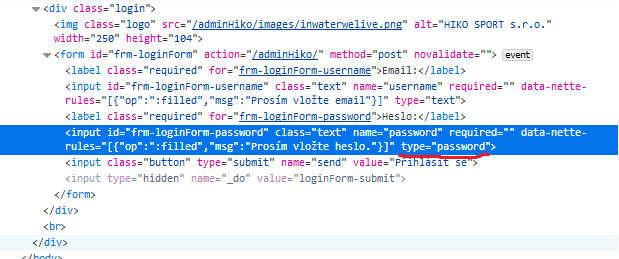
We’re interested in type. We double-click password, type text instead, and press ENTER.
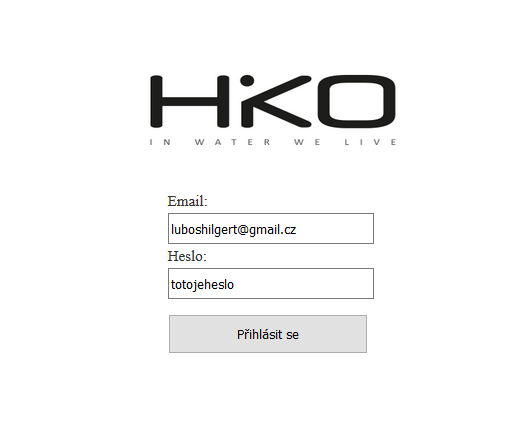
And that’s all there is to it:) I hope the guide helped you, and even if you have no trouble remembering, this at least taught you how easy it is to get passwords from an unattended computer.