
If, say, you’re starting a small e-shop, you may be wondering whether to offer courier delivery and how to price it. Or maybe you’re even considering delivering it yourself? We dealt with something like that on the kytkyodpotoka.cz website. For the sake of delivery quality we deliver ourselves, and even if we wanted to we can’t deliver everywhere. We divided the delivery area into several zones and priced the courier delivery accordingly. I think it’s a fair and clear solution for customers. On top of that, WooCommerce allows this setup out of the box without any additional plugins.
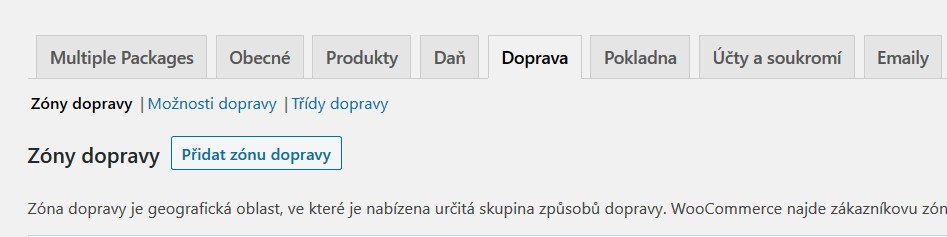
Add a shipping zone
Go to the shipping settings (WooCommerce – Settings – Shipping). Click Add shipping zone. Now fill in the Zone name (e.g. Route 1, Route 2, etc.) and Zone regions (Czech Republic). Below the Zone regions field you’ll see a Limit to specific ZIP/postcodes link. If you click it, a new field for entering ZIP codes appears. According to the documentation you can also use various wildcards or ranges.
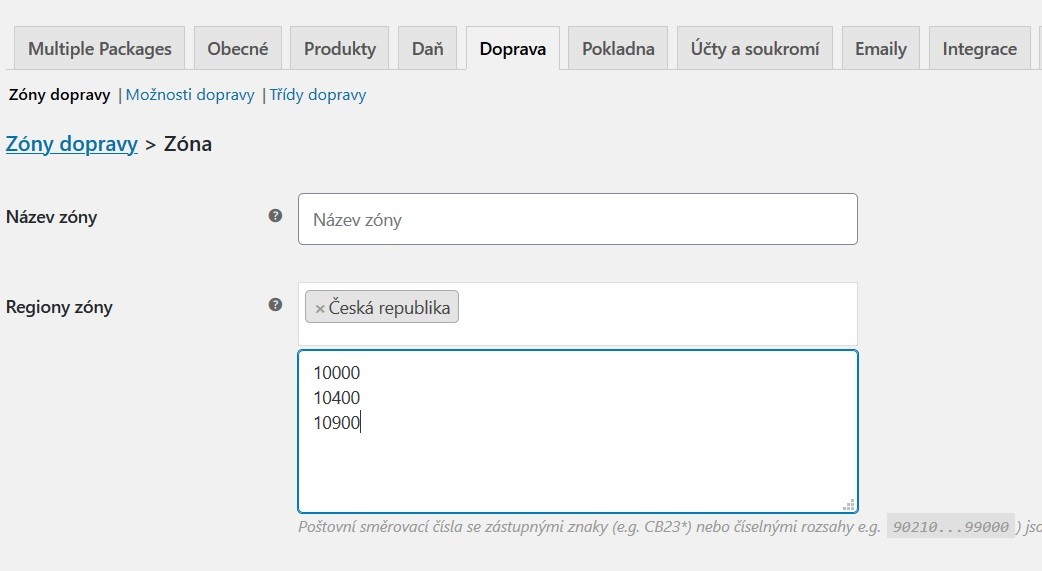
The last step is then assigning a shipping method to the zone you’ve created. A slight downside is that if some shipping method is shared across all zones (e.g. local pickup), you have to add it to each zone separately. In the cart, the given zone is then selected based on the ZIP code in the shipping address (or, if the shipping address is the same as the billing address, in the billing address).
Checking delivery by ZIP code
The last thing left is to somehow let customers check whether you deliver to their ZIP code. Of course they’ll find out in the cart, but that doesn’t seem user-friendly to me. So I made a simple plugin that, after you enter a specific ZIP code, shows whether you deliver to that location or not. You can download the plugin here. Click the green Clone or download – Download ZIP button. Then upload the zipped file through the plugin manager, or copy the unzipped file via FTP. For now the plugin only works if you enter ZIP codes one per line or using ranges (e.g. 10000…11000). That is, without wildcards. You can edit the messages shown to users in the plugin settings. If you need help or something doesn’t work, feel free to write to me.
