
You may know that you can also create an order in a WooCommerce e-shop manually in the admin. It’s handy for orders placed over the phone and so on. If you have some other process tied to your orders (for example various exports), it’s useful to record them in one place. But the accuracy of exports depends on the data entered in the order. Whereas the website checks that the customer fills in all required details, in the admin you can create an order, for example, without an address, phone number, or even without a product (yes, that happened too:)). On the kytkyodpotoka.cz e-shop I came across a request asking whether the admin couldn’t also have some validation for the fields we need filled in.
If you go to the order list (WooCommerce – Orders), you’ll see an Add order button above the table. After clicking it, you’ll see the form for entering a new order.
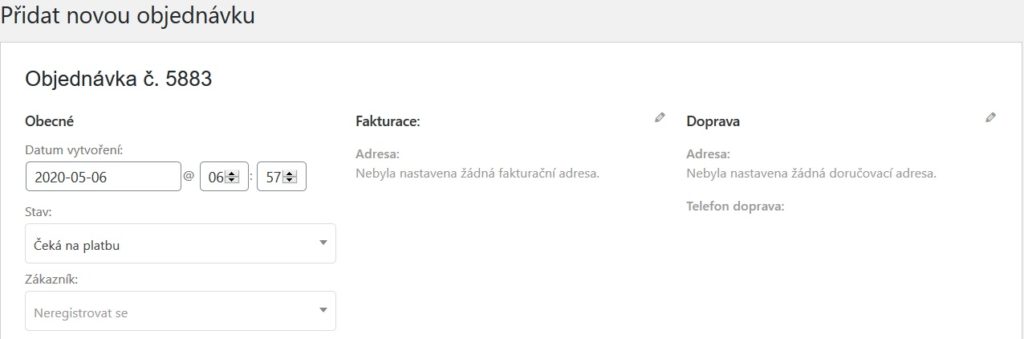
After clicking the pencil icon next to Billing and Shipping, you can fill in the customer’s billing and delivery address. Below this section there’s another one where, after clicking Add item(s), you add products, shipping and fees. If you’re VAT-registered, you’ll see prices excluding tax. So once you’re done entering everything, click the Recalculate button to see prices including VAT as well.

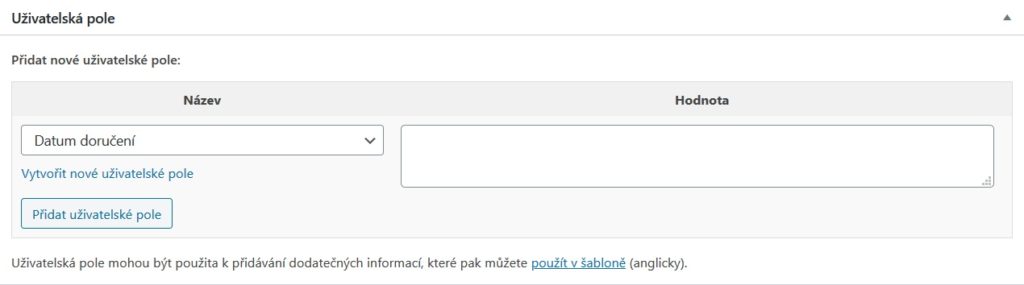
Below the product entry there’s also a Custom fields section, where you can have some of your own fields for the order. For example, on the e-shop mentioned we have a Delivery date plugin that creates such a field in the order.
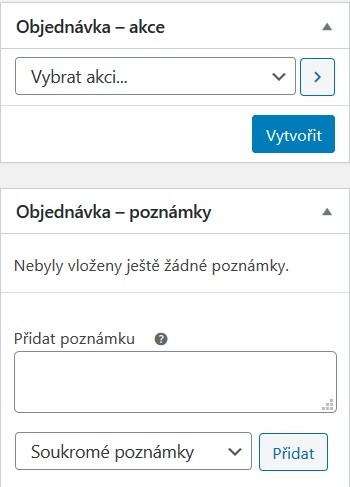
On the right side you then see a panel with a Create button that saves the order. There’s also a choice of Actions there. For example, you can send the order details to the customer by e-mail. The notes section then records the actions you’ve performed on the order (adding a product, sending an e-mail to the customer, …). You can also write your own private note here, or a note that you then send to the customer.
So, with these steps we can add a new order. Now for how to validate the fields. Into functions.php in the child theme I wrote code that inserts JavaScript into the footer of the page in the WordPress admin. This JavaScript then checks that the fields are filled in. The whole code might look like this:
add_action('admin_footer', 'lh_custom_order_control');

function lh_custom_order_control() {
        ?>
        <script>
            if (pagenow == 'shop_order') {
                jQuery("button.save_order").on('click', function (e) {
                    var check = true;
                    var message = '';
                    e.preventDefault();
                    if (!jQuery(".order_item_id").length) {
                        var check = false;
                        message += 'Zadejte nějaký produkt. n';
                    }
                    var first = jQuery("#_billing_first_name").val();
                    var last = jQuery("#_billing_last_name").val();
                    var address = jQuery("#_billing_address_1").val();
                    var city = jQuery("#_billing_city").val();
                    var postcode = jQuery("#_billing_postcode").val();
                    var phone = jQuery("#_billing_phone").val();
                    if (first == '' || last == '' || address == '' || city == '' || postcode == '' || phone == '') {
                        check = false;
                        message += 'Vyplňte potřebné údaje o zákazníkovi (jméno, příjmení, adresa, město, psč, telefon).n';
                    }

                    if (!check) {
                        alert(message);
                    } else {
                        jQuery("#post").submit();
                    }
                });
            }
        </script>

        <?php
}
The code checks that the billing details are filled in and whether a product has been entered. If not, it shows an alert and the order won’t be saved.