
WordPress lets you feature posts. It’s useful if you want to promote a post and don’t want it to get lost among the others. By default, posts are shown by date.
If you mark a post as featured (sticky), it shows at the top regardless of date. Once you no longer want it there, you remove the feature and the post returns to its place.
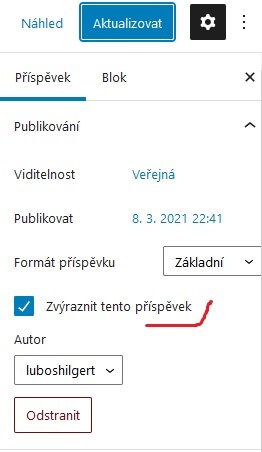
Bulk-removing featured posts
On one blog I manage I noticed they had several dozen featured posts. Featured posts only show at the top on the blog’s home page and not in categories, and these pages are built so that people browse by category, so nobody noticed.
Only through the breadcrumb navigation could you click through to the blog’s main page, where there were two-year-old articles. But how to fix this without having to edit dozens of posts and uncheck the box? In the database, featured posts are stored in the wp_options table. Specifically, option_name=’sticky_posts’. So if you want to bulk-remove all featured posts, you can do it with an SQL command (change the wp_ prefix to the one you use):
UPDATE `wp_options` SET `option_value`='' WHERE `option_name`='sticky_posts'