
Ecomail is a Czech e-mail marketing platform. Contact Form 7 is a popular solution for contact forms in WordPress. That should do as a brief introduction to the topic:)
How to connect them?
Just at the start I’ll mention that if you’re purely after collecting contacts, you can create a form in Ecomail and then insert its code anywhere into your pages, with no further complications needed.
But what if you already have, say, a contact form on your site through which you collect inquiries, and you’d like to give your customers the option to subscribe to the newsletter through it as well?
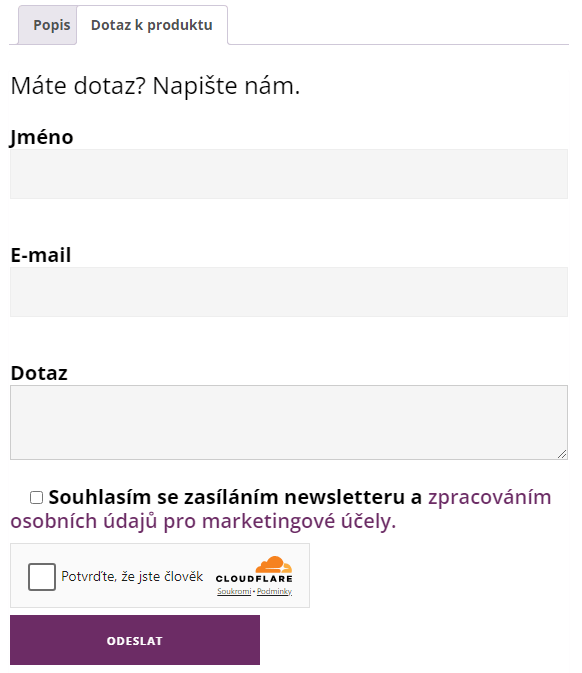
To each form through which you want to collect data, add a checkbox to confirm consent. The Contact Form 7 code is below.
<label>[acceptance souhlas-marketing optional] Souhlasím se zasíláním newsletteru a <a href="/souhlas-se-zpracovanim-osobnich-udaju-pro-marketingove-ucely" target="_blank">zpracováním osobních údajů pro marketingové účely.</a></label>The important thing is that this consent should be voluntary – optional. After all, you still want to let your visitors contact you even without subscribing to the newsletter.
Next, you need to have a list created in Ecomail that you want to collect contacts into, and to find the API key needed for communication. You find the list ID from the URL when you click through to its detail in the Contacts section. If the URL is, for example, https://mojefirma.ecomailapp.cz/contacts/1/ then the list ID is 1. You then find the API key in the Account management section (in the top-right menu click your login e-mail) – For developers. Then you just need to plug these variables into the following code, which you insert into functions.php.
The code responds to all Contact Form 7 forms and, only if they contain and have the consent checked, sends the data to Ecomail.
Important. The code above assumes that in your form the e-mail field is named your-email , the name field your-name, and the consent checkbox souhlas-marketing. If your fields are named differently, you have to change it either in the relevant form or in the code above.
Another parameter you can change as you like (or leave out) is source. In the code I send the value CF7. This can help you identify the source if you collect data from various sources into a single list.